Website Security for Canadian Small Businesses: What the Baseline Controls Expect
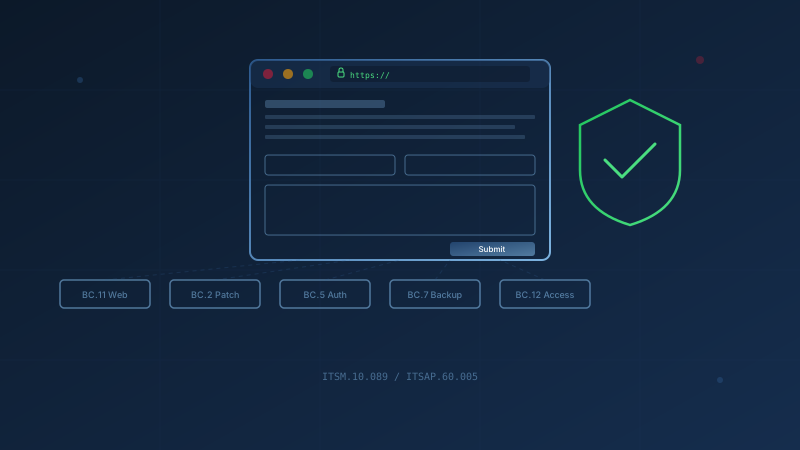
The Canadian Centre for Cyber Security includes website security as one of its 13 Baseline Cyber Security Controls for small and medium organizations. Baseline Control BC.11 in ITSM.10.089 requires organizations to ensure their websites address the OWASP top 10 vulnerabilities. The CCCS also publishes ITSAP.60.005, which provides detailed guidance on how to secure websites against common threats.
Here is a practical checklist mapped to what the CCCS guidance recommends, so you can check your site against the baseline standard.
Website Security Checklist for Canadian Small Businesses
-
Use HTTPS everywhere. ITSAP.60.005 states: "Require the use of HTTPS by default on your website and configure Transport Layer Security (TLS) to be used between all web service components." This encrypts data in transit and protects authentication data and proprietary information.
-
Patch your CMS and plugins. ITSAP.60.005 recommends implementing "a patch management process to acquire, test, and install patches and updates on your systems and devices. Be sure to patch underlying systems, content management systems, web applications and plug-ins."
-
Enable multi-factor authentication on admin accounts. ITSAP.60.005 says: "Implement a strong password and passphrase policy that includes multi-factor authentication (MFA) for additional security." This applies to your website admin panel, hosting control panel, and domain registrar account.
-
Apply least-privilege access. ITSAP.60.005 instructs: "Define specific access controls and implement the principle of least privilege to ensure that users only have the access needed to carry out their authorized functions."
-
Back up your site and database. Baseline Control BC.7 requires organizations to "back up systems that contain essential business information, and ensure that recovery mechanisms effectively and efficiently restore these systems from back-ups." Your website content and database are essential business information.
-
Remove unused plugins, themes, and accounts. ITSAP.60.005 advises reviewing configurations to identify vulnerabilities such as "unused ports or web services" and to "remove any unnecessary web operation files." Every unused plugin or dormant admin account is an attack surface.
-
Monitor for anomalies. ITSAP.60.005 recommends: "If possible, you should continuously monitor website activity for anomalous behaviours, such as repeated login or injection attempts." Watch for defacement attempts, unexpected file changes, and unusual traffic patterns. Check your domain expiry date and renew before it lapses.
This checklist maps directly to controls in ITSM.10.089 and the practical steps in ITSAP.60.005. The CCCS designed these for organizations with fewer than 500 employees who want to get the most out of limited security resources.
Why Small Business Websites Get Hacked
Small business websites are frequent targets because attackers assume they have weaker defences than larger organizations. ITSAP.60.005 lists common threats that apply regardless of your company size:
- Injection attacks, including SQL injection and cross-site scripting (XSS), where attackers input malicious code through web forms or URL parameters to steal data or bypass authentication
- Credential stuffing attacks, where threat actors use previously stolen credentials to try to log into accounts until a match is found
- Malware attacks that hide on your website and infect visitors
- Denial-of-service attacks that overwhelm your site with traffic to take it offline
The CCCS notes that even if your website is compromised, your organization is not the only one at risk. Attackers can target your supply chain, affiliated organizations, and customers.
A compromised website also damages your reputation. According to the CCCS, "an offline or defaced website can negatively impact an organization's operations and reputation" and lead to "lost revenue or customer trust and compromised sensitive information."
Who Is Responsible for Your Website's Security?
You are. Even when you outsource hosting or development, your organization remains accountable for what happens on your site.
ITSAP.60.005 states: "If using a service provider, you may not have access to the infrastructure or control over the associated security functions. However, even when using a service provider, your organization is still legally responsible for protecting the confidentiality and integrity of your data."
The practical division usually looks like this:
- You (the business owner) are responsible for choosing a reputable provider, reviewing their security practices, patching your CMS and plugins, managing admin accounts, and responding to incidents.
- Your web developer is responsible for building the site securely and applying updates if that is in your contract, but you remain accountable for what they build.
- Your hosting provider is responsible for server infrastructure, but they cannot patch your WordPress plugins or set MFA on your admin account.
ITSAP.60.005 recommends: "Before contracting a service provider, review their data security and privacy protection capabilities and policies. Clearly define your organization's and your service provider's roles and responsibilities regarding security."
One question to ask any provider: "If our site is compromised through an unpatched plugin, who is responsible for detecting it, who fixes it, and how quickly?"
What to Do If Your Website Is Compromised
If your site is defaced, serving malware, or behaving unexpectedly, act quickly:
-
Take the site offline to stop further damage and protect visitors. A holding page is better than a site that infects customers.
-
Preserve evidence before restoring. Take screenshots, save log files, and note what changed and when. This helps you understand what happened and may be needed for reporting.
-
Report the incident. In Canada, how to report a cyber attack depends on the nature of the incident. Contact your local police for crimes. Use the National Cybercrime and Fraud Reporting System for fraud. If personal information was exposed, you may need to report to the Office of the Privacy Commissioner.
-
Identify the entry point. Was it an unpatched plugin, a compromised admin password, or a vulnerability in your hosting environment? ITSAP.60.005 notes that you should "identify access control layers in your coding standards and rigorously test them."
-
Restore from a clean backup. Baseline Control BC.7 requires that you "ensure that recovery mechanisms effectively and efficiently restore these systems from back-ups." Test your backups before you need them.
-
Close the vulnerability before bringing the site back online. Apply patches, change all admin passwords, enable MFA, and remove any unauthorized accounts or files.
Our guide to incident response planning covers how to prepare for this before it happens.
PIPEDA Requirements for Websites Collecting Personal Information
If your website collects personal information, PIPEDA applies. The Office of the Privacy Commissioner of Canada says PIPEDA covers "any private-sector organization that collects, uses, or discloses personal information in the course of commercial activity."
Personal information on a website typically includes:
- Contact form submissions (name, email, phone number)
- Account credentials and profile data
- Payment details
- IP addresses and tracking data when linked to an individual
The OPC's PIPEDA requirements in brief states that organizations must:
- Identify purposes for collecting information before or at the time of collection
- Obtain meaningful consent that individuals can understand
- Limit collection to what is necessary for the stated purposes
- Protect information with appropriate safeguards
The OPC's Privacy Guide for Businesses says these safeguards include "up-to-date technological tools (e.g., passwords, encryption, firewalls and security patches)."
The same guide states that your organization is "legally responsible for protecting all customer data that is processed on your website, even if your organization does not host the website." This means your PIPEDA obligations do not disappear when you use a third-party hosting provider or web developer.
If your website experiences a breach involving personal information that poses "a real risk of significant harm," PIPEDA requires you to report it to the OPC, notify affected individuals, and keep records. See our PIPEDA enforcement guide for details on breach reporting requirements.
Getting Started
Start with the highest-impact measures from the checklist:
- Confirm HTTPS is enabled across your entire site and that HTTP redirects to HTTPS
- Update your CMS, plugins, and themes to current versions
- Enable MFA on your website admin panel, hosting account, and domain registrar
- Remove any plugins, themes, or admin accounts you no longer use
- Verify you have a recent backup and know how to restore from it
The web application security control page covers these topics in more depth. For a broader view of where your organization stands across all 13 Baseline Controls, our free cybersecurity assessment takes about 30 minutes and gives specific recommendations without collecting your answers.
One question to ask your IT lead or web developer this week: "When was the last time someone checked whether our website CMS and plugins are fully patched, and who is responsible for keeping them current?"
How prepared is your business?
Find out where you stand against Canada's 13 Baseline Cyber Security Controls. The assessment takes under 30 minutes and your answers stay in your browser.
Check Your ScoreFrequently Asked Questions
What does the CCCS recommend for small business website security?
The Canadian Centre for Cyber Security recommends that small and medium organizations ensure their websites address the OWASP top 10 vulnerabilities, as stated in Baseline Control BC.11 of ITSM.10.089. The CCCS also publishes ITSAP.60.005, which provides detailed guidance on secure web architecture, HTTPS, MFA, patching, and monitoring.
Is my business legally responsible for my website's security in Canada?
Yes. Even if you outsource hosting or development, your organization remains responsible for protecting the data your website handles. The Office of the Privacy Commissioner of Canada states that organizations are legally responsible for protecting all customer data processed on their website, even if they do not host it.
How often should I patch my website and plugins?
The CCCS recommends implementing a patch management process to acquire, test, and install patches on underlying systems, content management systems, web applications and plugins. Security patches for internet-facing systems should be applied promptly because web-facing components are the most exposed to attack.
Does PIPEDA apply to my business website?
PIPEDA applies to private-sector organizations that collect, use, or disclose personal information through their websites in the course of commercial activity. If your site has contact forms, account logins, or collects any personal information, you must obtain meaningful consent and protect that information with appropriate safeguards.
Cite This Page
Suggested citation:
Cybersecurity Canada (2026). Website Security for Canadian Small Businesses: What the Baseline Controls Expect. Retrieved from https://cybersecuritycanada.ca/news/posts/website-security-canadian-small-business-baseline-control/
Permanent URL: https://cybersecuritycanada.ca/news/posts/website-security-canadian-small-business-baseline-control/ · Published October 11, 2026
Disclaimer: This article is intended for general informational purposes only and does not constitute professional cybersecurity, legal, IT, or compliance advice. While we strive to ensure accuracy, the cybersecurity landscape changes rapidly and information may become outdated. Organizations should consult with qualified cybersecurity professionals and legal counsel to assess their specific situation and develop appropriate security policies. Use of this information is at your own risk. See our Privacy Policy for more information.
Cybersecurity Canada is an independent resource and is not affiliated with, endorsed by, or connected to the Canadian Centre for Cyber Security, the Communications Security Establishment, or the Government of Canada.
How does your organization measure up?
Take our free cybersecurity assessment based on the Canadian Centre for Cyber Security's Baseline Controls. 50 questions, under 30 minutes, 100% confidential. Your answers never leave your browser.
Take the Free Assessment