Physical Threats to Digital Devices: How Canadian Businesses Protect Laptops and Phones
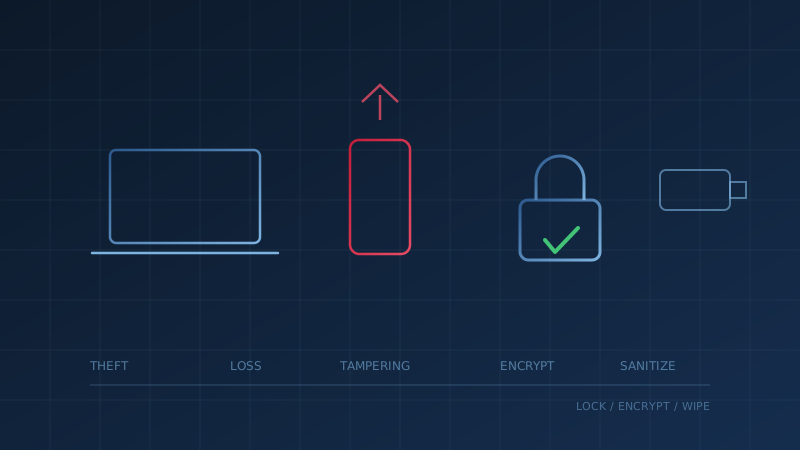
Physical threats to digital devices are the risks that start when someone can touch, take or look at your hardware: a laptop stolen from a car, a phone left in a taxi, a device tampered with while unattended, or an old computer sold with data still on it. The Canadian Centre for Cyber Security warns in its guidance on common employee IT security challenges that a lost, stolen or compromised phone, laptop or tablet "can allow unauthorized access to your organization's network."
For a small business, these are often the easiest risks to overlook, because the security budget goes to firewalls and email filtering. Yet a single unencrypted laptop can hold client files, saved passwords and an open session to your cloud email. The good news is that the controls are mostly settings you already own.
What Are the Main Physical Threats to Digital Devices?
The main physical threats are theft, loss, tampering, shoulder surfing, malicious accessories and poor disposal. The Cyber Centre's tips for organizations with remote workers (ITSAP.10.016) put the core risk plainly: if employees leave devices unattended in public, "a threat actor can tamper with them or steal them." Each threat below has a matching control.
- Theft and loss. Laptops, phones, tablets and USB drives go missing from cars, airports, coffee shops and job sites.
- Tampering. A device left unattended can be modified, or a peripheral can be swapped for one that is not what it seems.
- Shoulder surfing. Someone reads your screen, or watches you type a password or PIN, in a public place.
- Malicious cables, chargers and USB devices. Unknown accessories and public charging points can carry risk.
- Disposal and resale. Deleted files can often be recovered from devices that leave the business.
Why Is a Lost Laptop or Phone a Security Problem, Not Just a Cost?
The hardware is the cheap part. The Cyber Centre's guidance on securing the enterprise for mobility (ITSM.80.001) says threat actors may exploit lost or stolen devices "to try and gain entry to the enterprise infrastructure or to pose as an authorized user." A phone that stays signed in to email and your file-sharing app can let a thief reset passwords, read client messages or impersonate an employee.
There is also a privacy angle. Under PIPEDA, the Office of the Privacy Commissioner of Canada says businesses must report breaches of security safeguards involving personal information that pose a real risk of significant harm, and must keep records of all breaches. A lost device full of customer records may need to be assessed against that test. Our post on PIPEDA enforcement explains how the record-keeping requirement works.
How Do You Protect Devices From Theft and Loss?
Assume a device will eventually be lost, and make sure losing it exposes nothing. That comes down to three settings plus one habit. Get Cyber Safe's guidance on phones and tablets recommends a lock screen password, biometric security where available, and auto-lock so the device "always locks after a short period of time." It also advises never leaving mobile devices in a vehicle or unattended in public.
For business devices, add these:
- Encryption on every laptop and phone. Our mobile security control page explains that requiring device encryption protects the data if a device is lost or stolen.
- Remote lock and wipe. ITSM.80.001 lists remote locking and remote wiping of lost or stolen devices among its mobile security measures.
- An inventory. Get Cyber Safe suggests keeping a record of each device's make and model, which also helps you know what to wipe.
- A reporting rule. ITSAP.10.016 says employees should know who to contact if their devices are lost or stolen. Make "report it within the hour" part of onboarding.
USB drives deserve the same treatment. Our portable media control page explains that encrypted media keeps data unreadable without the correct password or key, even if the drive is lost or stolen.
What About Tampering, Chargers and Shoulder Surfing?
These threats target devices that are present but not watched. The Cyber Centre's security tips for peripheral devices (ITSAP.70.015) advises keeping control and custody of devices, "including cables and chargers," so they are not tampered with or switched out, and labelling peripherals with tamper-proof asset labels. It also recommends removing lost or stolen devices from your list of paired Bluetooth devices.
For travel and public spaces, the Get Cyber Safe travel checklist recommends keeping devices with you or locked in a safe, watching for shoulder surfers trying to view your screen, and not using public charging kiosks. Bringing your own charger and cable is a simple habit to build into travel policies. The same thinking applies to unknown USB drives found in a parking lot, which our article on USB drives and portable media covers in detail.
How Should Old Devices Be Disposed Of?
Sanitize before anything leaves the business, whether it is sold, donated, recycled or returned at the end of a lease. The Cyber Centre's guidance on sanitization and disposal of electronic devices (ITSAP.40.006) explains that deleting files is not sanitization, and that a factory reset does not truly erase data or wipe memory and SIM cards. It describes stronger options, including crypto erase for encrypted drives and physical destruction for highly sensitive media.
The Cyber Centre's list of devices to sanitize goes well beyond laptops. It includes routers, printers, smart TVs, memory cards and smart watches. Printers and copiers are easy to forget when an office lease ends.
Where Do Physical Threats Fit in the Baseline Controls?
Physical device security touches several of the Cyber Centre's 13 Baseline Controls rather than sitting in one. Mobile security, portable media, and backup and recovery all depend on it. Our backup and recovery control page explains that unencrypted backups are a data breach risk if the storage media is lost, stolen or improperly disposed of, which is the physical threat in another form.
A good question to ask your IT lead this week: "If one of our laptops disappeared tonight, could we wipe it remotely, and would the data on it be readable?" If you are not sure, our free cybersecurity assessment walks through mobile security, portable media and the rest of the 13 Baseline Controls in under 30 minutes, so you can see where your business stands.
How prepared is your business?
Find out where you stand against Canada's 13 Baseline Cyber Security Controls. The assessment takes under 30 minutes and your answers stay in your browser.
Check Your ScoreFrequently Asked Questions
What are physical threats to digital devices?
Physical threats to digital devices are risks that come from someone getting their hands on, or eyes on, the hardware itself. The main ones are theft, loss, tampering with an unattended device, shoulder surfing, malicious cables or USB devices, and data left on devices that are sold or thrown away. The Canadian Centre for Cyber Security notes that a lost or stolen phone, laptop or tablet can allow unauthorized access to an organization's network.
What should a business do if a work laptop or phone is lost or stolen?
Report it to whoever manages your IT right away so the device can be locked or wiped remotely and its accounts secured. Get Cyber Safe also advises contacting your wireless service provider, which can block a stolen phone from working on Canadian networks, and reporting the theft to local police. If the device held personal information, assess whether the loss is a privacy breach that must be reported under PIPEDA.
Is a lost laptop a privacy breach in Canada?
It can be. Under PIPEDA, the Office of the Privacy Commissioner of Canada requires businesses to report breaches of security safeguards involving personal information that pose a real risk of significant harm, and to keep records of all breaches. Whether a lost laptop qualifies depends on what was on it and whether it was protected, which is one reason encryption matters. This is general information, not legal advice.
Does factory resetting a device remove all the data?
Not always. The Canadian Centre for Cyber Security says a factory reset makes data inaccessible through the device's normal interface but does not truly erase it, and it does not wipe memory or SIM cards. The Cyber Centre describes stronger methods, including crypto erase for encrypted drives and physical destruction for highly sensitive media.
Cite This Page
Suggested citation:
Cybersecurity Canada (2026). Physical Threats to Digital Devices: How Canadian Businesses Protect Laptops and Phones. Retrieved from https://cybersecuritycanada.ca/news/posts/physical-threats-to-digital-devices-canadian-small-business/
Permanent URL: https://cybersecuritycanada.ca/news/posts/physical-threats-to-digital-devices-canadian-small-business/ · Published June 30, 2026
Disclaimer: This article is intended for general informational purposes only and does not constitute professional cybersecurity, legal, IT, or compliance advice. While we strive to ensure accuracy, the cybersecurity landscape changes rapidly and information may become outdated. Organizations should consult with qualified cybersecurity professionals and legal counsel to assess their specific situation and develop appropriate security policies. Use of this information is at your own risk. See our Privacy Policy for more information.
Cybersecurity Canada is an independent resource and is not affiliated with, endorsed by, or connected to the Canadian Centre for Cyber Security, the Communications Security Establishment, or the Government of Canada.
How does your organization measure up?
Take our free cybersecurity assessment based on the Canadian Centre for Cyber Security's Baseline Controls. 50 questions, under 30 minutes, 100% confidential. Your answers never leave your browser.
Take the Free Assessment