Mobile Security for Canadian Small Businesses: Company Phones or BYOD?
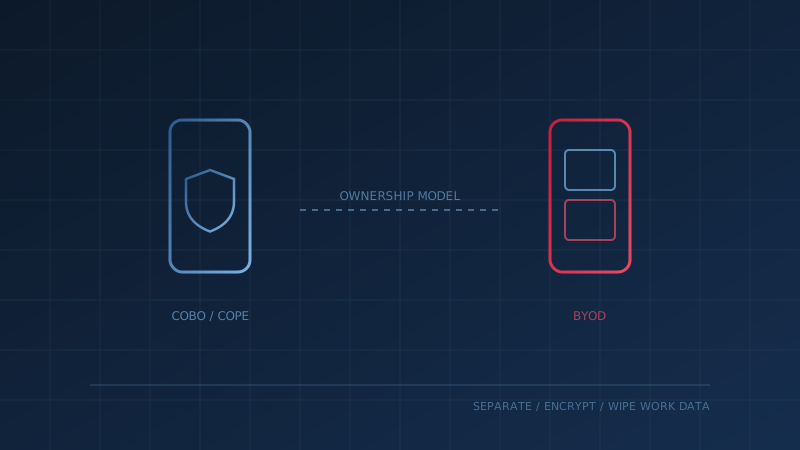
Mobile security for a small business starts with one decision that is easy to skip: who owns the phone. The Canadian Centre for Cyber Security's baseline cyber security controls for small and medium organizations make it the first item under Secure Mobility, saying organizations should "decide on an ownership model for mobile devices and document the rationale and associated risks." Everything else, from encryption to remote wipe, depends on that choice.
Most small businesses never make it explicitly. Staff use their own phones for email because it is convenient, and the business inherits whatever security those phones happen to have. This guide compares the main options so you can make the decision on purpose.
What Are the Mobile Device Ownership Models?
There are three common models: company-owned for business only (COBO), company-owned but personally enabled (COPE), and bring your own device (BYOD). The Cyber Centre's Security considerations for mobile device deployments (ITSAP.70.002) describes each. With COBO, the organization has "full control of security policies, including password complexity, data encryption, access restrictions, and vulnerability management."
- COBO: the business owns the phone, and it is used only for work. Most control, least flexibility.
- COPE: the business owns and controls the phone, and staff may also use it personally.
- BYOD: employees use their own phones, sometimes with a subsidy. Least cost, least control.
Why Is BYOD Harder to Secure?
Because the business does not own the device, it cannot fully control it. ITSAP.70.002 says that under BYOD, the organization's ability to mitigate any compromise "is extremely limited as it does not own the device." It lists risks including malicious app downloads, use on public Wi-Fi, lost control over software updates, tampering with security features, and data leakage when personal and business data are mixed.
The guidance is blunt about the trade-off: "Most risks for BYOD are beyond corporate control because employees own their devices." That does not make BYOD wrong for every business. It means the controls have to come from policy, separation of work data, and identity protections like multi-factor authentication, rather than from owning the hardware.
What Do Company-Owned Phones Let You Enforce?
Company-owned phones let you set the rules in advance. ITSAP.70.002 says both COBO and COPE allow the business to enforce strong passwords and authentication, establish security controls, use verified software, and manage devices and data when an employee leaves. That last point matters for small businesses, where a departing employee may have the only copy of client conversations on their phone.
The Cyber Centre also notes a cost. Overly restrictive company phones can backfire if staff feel they cannot work efficiently and turn to personal devices instead. A COPE model, where staff can use the phone personally under company controls, is often the practical middle ground.
What Does the Baseline Expect Whatever You Choose?
The Cyber Centre's Secure Mobility control applies to every model. It says organizations should enforce separation between work and personal data, allow apps only from trusted sources, and "require that all mobile devices store all sensitive information in a secure, encrypted state." It also says organizations should consider an enterprise mobility management solution, or document the risks of not using one.
For everyday connectivity, the baseline asks businesses to have staff disable automatic connections to open Wi-Fi, avoid unknown networks, limit Bluetooth and NFC for sensitive information, and prefer cellular data over public Wi-Fi. Our mobile security control page turns these into a practical checklist, including encryption and remote wipe for lost or stolen devices.
What Should a BYOD Policy Cover in Canada?
If you allow BYOD, write the rules down and get them signed. The Office of the Privacy Commissioner of Canada's guidance on whether a BYOD program is right for your organization recommends a BYOD-specific policy that sets out "the obligations and expectations of BYOD users and the organization," and a signed agreement describing the device administration activities the organization can perform.
A workable BYOD policy covers:
- Minimum device requirements: screen lock, encryption and a supported operating system.
- Separation of work data: work email and files in managed apps or a work profile.
- Monitoring and privacy: what the business can and cannot see on a personal phone, as the OPC recommends.
- Updates: who is responsible for patching. The OPC warns that if this is left to device owners, it "may not be done in a timely manner, if at all."
- Lost devices and departures: the obligation to report a lost phone quickly, and the business's right to remove work data.
Our glossary entry on BYOD gives a short definition you can share with staff, and our guide to remote work security covers home networks and public Wi-Fi, the other side of the same problem.
How Do You Decide?
Match the model to the sensitivity of the information on the phone. ITSAP.70.002 suggests weighing the level of control your information needs, the budget available for devices and support, and the balance between business needs and workplace satisfaction. A bookkeeping firm with client tax records on staff phones has a different answer than a landscaping company using phones for scheduling.
One question to settle with your IT lead this week: "If an employee left tomorrow, could we remove our data from their phone without touching their personal photos?" If the answer is no, start there. Our free cybersecurity assessment covers mobile security alongside the rest of the 13 Baseline Controls and shows where your business stands in under 30 minutes.
How prepared is your business?
Find out where you stand against Canada's 13 Baseline Cyber Security Controls. The assessment takes under 30 minutes and your answers stay in your browser.
Check Your ScoreFrequently Asked Questions
Is BYOD less secure than company-owned phones?
Generally, yes, because the business has less control. The Canadian Centre for Cyber Security says that with bring your own device (BYOD), the organization's ability to mitigate a compromise is extremely limited because it does not own the device, and most BYOD risks are beyond corporate control. Company-owned models let the business enforce passwords, updates and approved apps. BYOD can still work with clear rules and work data kept separate.
What are COBO, COPE and BYOD?
They are the three common mobile device ownership models. COBO means corporately owned, business only: the company owns the phone and it is used only for work. COPE means corporately owned, personally enabled: the company owns and controls the phone, but staff may use it personally. BYOD means bring your own device: employees use their own phones for work. The Canadian Centre for Cyber Security describes the benefits and risks of each.
What should a BYOD policy include?
The Office of the Privacy Commissioner of Canada advises a BYOD-specific policy that sets out the obligations and expectations of users and the organization, including how corporate monitoring may apply. It also recommends a signed agreement describing what device administration the organization can perform, clear responsibility for patching and updates, and encryption requirements. Separating work and personal data, and the right to wipe work data, are common elements.
Do small businesses need mobile device management software?
Not always, but it helps. The Cyber Centre's baseline controls say organizations should consider an enterprise mobility management solution for all mobile devices, or document the risks of not using one. These tools can enforce passwords and encryption, manage apps and remotely wipe a lost device. Smaller teams can start with built-in settings and a written policy, then add a management tool as they grow.
Cite This Page
Suggested citation:
Cybersecurity Canada (2026). Mobile Security for Canadian Small Businesses: Company Phones or BYOD?. Retrieved from https://cybersecuritycanada.ca/news/posts/mobile-security-company-phones-vs-byod-canadian-small-business/
Permanent URL: https://cybersecuritycanada.ca/news/posts/mobile-security-company-phones-vs-byod-canadian-small-business/ · Published July 18, 2026
Disclaimer: This article is intended for general informational purposes only and does not constitute professional cybersecurity, legal, IT, or compliance advice. While we strive to ensure accuracy, the cybersecurity landscape changes rapidly and information may become outdated. Organizations should consult with qualified cybersecurity professionals and legal counsel to assess their specific situation and develop appropriate security policies. Use of this information is at your own risk. See our Privacy Policy for more information.
Cybersecurity Canada is an independent resource and is not affiliated with, endorsed by, or connected to the Canadian Centre for Cyber Security, the Communications Security Establishment, or the Government of Canada.
How does your organization measure up?
Take our free cybersecurity assessment based on the Canadian Centre for Cyber Security's Baseline Controls. 50 questions, under 30 minutes, 100% confidential. Your answers never leave your browser.
Take the Free Assessment