5 Easy Cybersecurity Wins for Canadian Small Businesses
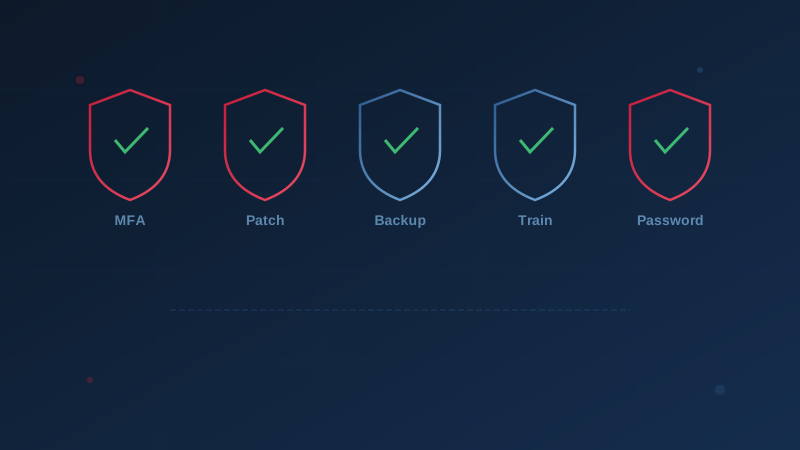
Most cybersecurity advice for small businesses reads like a to-do list written for a Fortune 500 company. Segmented networks. Zero-trust architecture. Security operations centres. It's not wrong — it's just not where you start.
The reality is that most cyber incidents affecting Canadian SMBs succeed because of a handful of basic gaps — and closing those gaps doesn't require specialized expertise or a large budget. The Canadian Centre for Cyber Security's Baseline Controls framework identifies 13 control areas, but the five actions below address the root causes behind the majority of successful attacks on small businesses.
1. Turn On Multi-Factor Authentication Everywhere
If you only do one thing on this list, make it this one.
Multi-factor authentication (MFA) requires a second verification step — typically a code from your phone — when logging in. It means that even if an attacker steals or guesses a password, they still can't get in.
Microsoft's security research has consistently found that MFA blocks over 99% of automated account compromise attacks. The Canadian Centre for Cyber Security lists authentication controls as BC.5 in the Baseline Controls — and cyber insurers increasingly require MFA as a condition of coverage.
What to do today:
- Enable MFA on email (Microsoft 365, Google Workspace) — this is the highest priority
- Enable MFA on banking and financial platforms
- Enable MFA on any cloud storage or file sharing services
- Use an authenticator app (Microsoft Authenticator, Google Authenticator) rather than SMS where possible
Time required: 15-30 minutes per service.
2. Keep Software and Systems Updated
Unpatched software is one of the most common entry points for attackers. When a vulnerability is publicly disclosed, automated scanning tools begin probing the internet for systems that haven't applied the fix — often within hours.
The Canadian Centre for Cyber Security designates patch management as BC.2 in the Baseline Controls. Statistics Canada's 2023 survey found that businesses that experienced a cybersecurity incident were significantly more likely to have delayed applying software updates.
What to do today:
- Turn on automatic updates for operating systems (Windows, macOS) on all business computers
- Enable automatic updates for web browsers (Chrome, Edge, Firefox)
- Set your router and firewall firmware to update automatically, or check monthly
- Update business-critical applications (accounting software, CRM, email clients) promptly when notified
Time required: 10 minutes to check and enable auto-update settings.
3. Back Up Your Data — And Test the Backups
Having backups isn't enough. The question that matters is: can you actually restore from them?
Many Canadian businesses discover their backups are incomplete, corrupted, or inaccessible only after an incident — precisely when they're needed most. The five backup assumptions that commonly fail include relying on a single backup location, never testing restoration, and assuming cloud sync is the same as backup.
The Baseline Controls framework covers this under BC.7 (Data Backup and Recovery). The principle is straightforward: if ransomware encrypts everything on your network, you need a copy that the ransomware couldn't reach.
What to do today:
- Confirm that critical business data (financial records, customer data, contracts) is being backed up
- Ensure at least one backup copy is stored offline or in a separate cloud account not connected to your main network
- Schedule a test: pick one backup file and attempt a full restore. Note how long it takes and whether the data is intact
- Set a calendar reminder to test backups quarterly
Time required: 30 minutes to verify; a few hours for a full restoration test.
4. Train Your Team to Spot Phishing
Technology alone can't stop phishing — it only takes one click on a malicious link to compromise an entire business. Phishing emails remain the number one delivery method for ransomware, credential theft, and business email compromise.
The CCCS Baseline Controls address this under BC.6 (Security Awareness Training). But effective training doesn't mean expensive platforms or annual compliance modules. It means making sure every employee understands the warning signs and knows what to do when something looks suspicious.
What to do today:
- Share the basic red flags with your team: urgency, unexpected attachments, requests to bypass normal procedures, mismatched sender addresses
- Establish a simple reporting process: "If you're not sure, forward it to [designated person] before clicking anything"
- Send a quarterly reminder email with a recent real-world example relevant to your industry
- Make reporting blame-free — you want people to flag suspicious emails, not hide mistakes
Time required: 15 minutes to send an initial team email; 30 minutes quarterly for ongoing reminders.
5. Use Strong, Unique Passwords With a Password Manager
Password reuse is the single most exploitable habit in cybersecurity. When credentials from one breached service are reused on business accounts, attackers don't need sophisticated tools — they just log in.
The Baseline Controls address this under BC.5 (User Authentication and Authorization). Modern guidance from both the Canadian Centre for Cyber Security and NIST recommends long, unique passwords for every account — and the only practical way to manage that is with a password manager.
What to do today:
- Choose a business password manager (1Password, Bitwarden, and Dashlane all offer business plans)
- Have each team member install it and migrate their most critical accounts (email, banking, cloud services) first
- Set a minimum password length of 14+ characters for all business accounts
- Disable password reuse — the password manager handles remembering unique passwords for each account
Time required: 20 minutes per person for initial setup; ongoing use actually saves time.
The Compound Effect
None of these five actions is expensive. None requires a dedicated security team. But together, they close the gaps that are responsible for the vast majority of successful attacks on Canadian small businesses.
Consider what a typical attack looks like without these controls: an employee receives a phishing email and clicks a link. Because there's no security awareness training, they enter their password on a fake login page. Because they reuse passwords, the attacker now has access to their business email. Because there's no MFA, the attacker logs in without obstruction. Because software isn't patched, the attacker exploits a known vulnerability to move deeper into the network. Because backups are incomplete or connected to the network, recovery takes weeks.
Now consider the same attack with all five controls in place: the employee recognizes the phishing attempt and reports it. Even if they don't, MFA blocks the login. Even if MFA is somehow bypassed, the password is unique so lateral movement is limited. Patched systems close known vulnerabilities. And if the worst happens, tested offline backups enable recovery in hours rather than weeks.
What Comes Next
These five actions are a starting point — not a finish line. Once they're in place, the next steps include formalizing an incident response plan, reviewing vendor and third-party access, and evaluating your cloud security configuration.
Our free assessment evaluates your organization across all 13 of the Canadian Centre for Cyber Security's Baseline Control areas. It takes under 10 minutes and shows you exactly where you stand — including how well you're doing on each of these five fundamentals.
Disclaimer: This article is intended for general informational purposes only and does not constitute professional cybersecurity, legal, IT, or compliance advice. While we strive to ensure accuracy, the cybersecurity landscape changes rapidly and information may become outdated. Organizations should consult with qualified cybersecurity professionals and legal counsel to assess their specific situation and develop appropriate security policies. Use of this information is at your own risk. See our Privacy Policy for more information.
Cybersecurity Canada is an independent resource and is not affiliated with, endorsed by, or connected to the Canadian Centre for Cyber Security, the Communications Security Establishment, or the Government of Canada.
How does your organization measure up?
Take our free cybersecurity assessment based on the Canadian Centre for Cyber Security's Baseline Controls. 50 questions, under 30 minutes, 100% confidential — your answers never leave your browser.
Take the Free Assessment