Canada Post, CRA, and Interac Scams
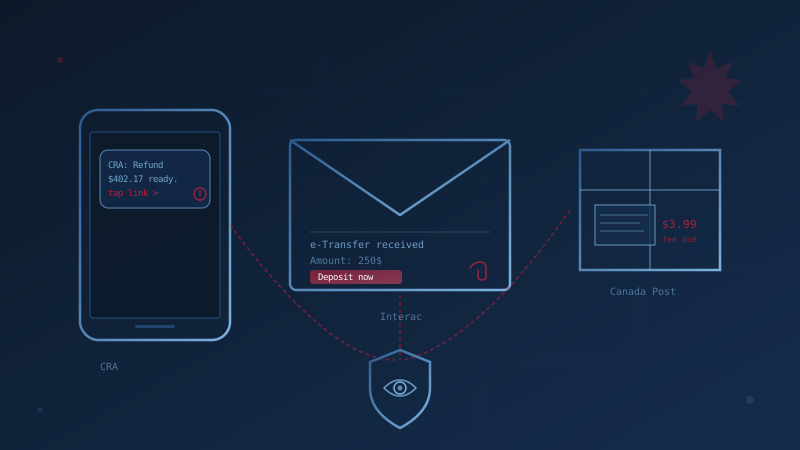
Generic phishing training tells your employees to watch for "IRS scams" and "FedEx delivery emails." Canadian employees don't get those. They get a text claiming to be the Canada Revenue Agency about a refund, an email that looks exactly like an Interac e-Transfer notification, and an SMS saying Canada Post couldn't deliver a parcel because the address was incomplete. The brands are different, the lures are different, and the cues your staff are watching for are the wrong ones.
The Canadian Anti-Fraud Centre reported a record $638 million lost to fraud in Canada in 2024 — up from $578 million the year before — and the CAFC estimates this represents only 5 to 10 percent of total losses, because most victims never report. For a small or medium business, a single employee clicking the wrong link on a CRA-themed text on their work phone can lead to credential theft, business email compromise, or ransomware. This is the playbook of the Canadian brand lures your team will actually see — and what to train them to do about it.
Why Canadian Brand Phishing Works So Well on SMB Employees
Brand phishing succeeds because the recipient already trusts the sender. Canadians interact with the CRA every spring, receive Interac e-Transfers as a normal part of doing business, and check Canada Post tracking pages weekly. Attackers don't need to invent a reason for the message to exist — they just need to time it right and copy the look. The Canadian Anti-Fraud Centre and the Canadian Centre for Cyber Security have both flagged impersonation of trusted Canadian brands as one of the most consistent attack vectors against individuals and small businesses.
For SMB owners, the risk is not only the personal accounts of staff. Employees who fall for a personal-life lure on a work device often expose business credentials, business banking, or the email account attackers use to launch business email compromise against your customers and suppliers. Knowing whether your team has the training and your systems have the controls to stop this attack is the first step; our free assessment can tell you in under 30 minutes.
The CRA Refund and "Tax Owing" Pattern
The most common Canadian brand-phishing pattern is a text or email impersonating the Canada Revenue Agency, usually claiming the recipient is owed a refund payable by Interac e-Transfer, or that tax is owed and a warrant will be issued if not paid immediately. The message typically links to a convincing copy of a major Canadian bank's sign-in page. The CRA's own Recognize a scam page is explicit about what the agency will and will not do.
Train employees to remember three rules:
- The CRA does not send refunds by Interac e-Transfer. Refunds arrive by direct deposit or cheque. Any text or email offering one through e-Transfer is fraudulent.
- The CRA does not demand immediate payment by gift card, cryptocurrency, or wire. Any "pay now or be arrested" message is a scam.
- The CRA does not send links to sign-in pages by SMS. If a CRA notice is real, it will appear in the recipient's My Account or My Business Account when they log in directly at canada.ca — never via a link they were sent.
If staff use personal CRA accounts on work devices, the compromise of those personal accounts can give attackers access to T4 information, payroll details, and corporate tax filings.
The Interac e-Transfer Notification Pattern
Fake Interac e-Transfer notifications are designed to look identical to the real thing, with the same yellow-and-black branding, the sender's "name," and a "Deposit your money" button that leads to a phishing copy of a Canadian bank login page. Interac's own email fraud guidance identifies several reliable tells employees should learn:
- Real Interac notifications never include attachments. A "Transfer details.pdf" or HTML attachment is always fraudulent.
- Real notifications use proper currency formatting. Phishing copies frequently put the dollar sign after the amount (
100$instead of$100.00) or use unusual decimal separators. - Generic greetings are a red flag. Real Interac notifications include the sender's name and message; phishing copies often default to "Hi" or "Dear Customer."
- Hover the link before clicking. Legitimate deposit links are hosted on the recipient's bank's domain, not a lookalike like
interac-deposit.comoretransfer-secure.ca.
For businesses that actually receive customer payments by e-Transfer, the safer default is to turn on Autodeposit in your business banking. Autodeposit removes the security-question-and-answer step entirely, which is the step phishing copies exploit — funds are credited directly into the recipient's account with no link to click. The Interac fraud reporting address is phishing@interac.ca for any suspicious message that reaches a staff inbox.
The Canada Post "Missed Delivery" Pattern
The Canada Post smishing pattern is the most prolific in the country. An SMS arrives saying a parcel could not be delivered because the address is incomplete or a small redelivery fee — usually between $3 and $10 — is required. The low dollar amount is intentional: it feels harmless enough to enter a credit card without thinking. Canada Post's fraud guidance is unambiguous on the key point:
Canada Post does not send unsolicited text messages, and never asks for fees or personal information by SMS. Legitimate tracking notifications are only sent if you have opted in through a Canada Post account, and they come from the short codes 272727 or 55555 — not from a regular ten-digit phone number, and never with a "pay this fee" link.
The reason this matters for SMBs: shipping-and-receiving staff, e-commerce business owners, and anyone expecting a parcel for work are conditioned to act on delivery messages. Train every staff member who handles shipments to verify any "delivery problem" by logging in to the Canada Post tracking page directly using the tracking number from the original order — never the link in the SMS.
Three Other Canadian Brands Worth Naming in Training
Beyond the big three, the same pattern repeats with a handful of other distinctly Canadian targets your training material should mention by name:
- Service Canada / Service Ontario impersonation. Calls or texts claiming the recipient's Social Insurance Number has been "compromised" and will be "suspended" unless they confirm details. SINs are not suspended; the entire premise is fraudulent.
- Big-bank login pages. Phishing pages impersonating RBC, TD, Scotiabank, BMO, CIBC, and National Bank often follow a CRA or Interac lure as the destination. The domain in the address bar is the only reliable check — not the logo or layout.
- Telecom billing scams. Fake Rogers, Bell, or Telus "overdue bill" SMS or emails that link to a payment page asking for credit card details.
Each of these targets a Canadian-specific behaviour — bilingual government correspondence, our concentration of six major banks, and our three dominant telecoms — that generic American training material simply doesn't cover.
What to Train Employees to Do — Five Rules That Hold Up
The defence against brand phishing is procedural, not visual. By the time staff are squinting at logos, the attacker has already won. Five rules to bake into security awareness training:
- Never act on an unexpected link in a message. Open a new browser tab and log in to the service directly —
canada.ca, the bank's app, the Canada Post site — and check from there. - Treat urgency as a red flag, not a reason to hurry. Real institutions do not threaten arrest, account suspension, or fee deadlines by text.
- Verify any request involving money or credentials through a second channel. A phone call to a known number breaks every variant of business email compromise and brand phishing.
- Turn on multi-factor authentication on every business account. If credentials are phished, MFA is what stops the attacker from using them.
- Report it, don't just delete it. A reported phishing attempt lets IT warn the rest of the team before someone else clicks.
For a deeper checklist of behavioural indicators, see our guide to recognizing phishing emails.
How to Report a Canadian Brand Phishing Attempt
Reporting is fast and worthwhile. Suspicious messages should be sent to the brand being impersonated and to the Canadian Anti-Fraud Centre:
- CRA-themed: Forward emails to
phishing@cra-arc.gc.caand report at the CRA's Recognize a scam page. - Interac-themed: Forward to
phishing@interac.ca. - Canada Post-themed: Forward to the address on Canada Post's fraud reporting page.
- Any of the above: Report to the Canadian Anti-Fraud Centre at 1-888-495-8501 or online at reportcyberandfraud.canada.ca.
If credentials were entered or money was sent, treat it as an incident immediately. Reset the affected password, revoke active sessions, contact your bank, and follow your incident response plan.
Where This Fits in Your Cybersecurity Program
Brand phishing defence sits inside two of the Canadian Centre for Cyber Security's 13 baseline controls: security awareness training and authentication. If those two areas are weak — no recurring training, no MFA, no documented reporting path — the rest of your security program cannot compensate. If you want a quick read on where your business currently stands across all 13 areas, the free cybersecurity assessment takes about twenty minutes and produces a written report tied to the baseline controls.
Frequently Asked Questions
Does the CRA ever send text messages to Canadians?
The CRA does not use text messages or instant messages to start a conversation with you about your taxes, benefits, refund, or account. It never sends links to sign-in pages by SMS, never asks for personal or banking information by SMS, and never issues tax refunds through Interac e-Transfer. Any text containing a link, a payment request, or a threat of arrest is fraudulent. The authoritative source is the CRA's own Recognize a scam page.
How can I tell a real Interac e-Transfer notification from a fake one?
Real Interac notifications never include attachments, never use generic greetings like "Dear Customer," and always link to your actual bank's domain. Phishing copies frequently misformat currency (placing the $ after the number), use lookalike domains, or include HTML and PDF attachments. When in doubt, ignore the link in the email and log in to your bank directly to check for the deposit.
Is Canada Post phishing illegal, and does reporting it actually help?
Yes — phishing fraud is a criminal offence in Canada, prosecuted under the Criminal Code's fraud (s.380) and identity-fraud (s.403) provisions, regardless of which brand is being impersonated. Reports to the Canadian Anti-Fraud Centre feed an intelligence database used by police, banks, and telecoms to disrupt campaigns and warn the public. The CAFC estimates its data captures only 5 to 10 percent of actual losses, so each report has outsized value.
What should I do if an employee already entered credentials on a phishing site?
Treat it as a credential compromise. Reset the password immediately, revoke active sessions, enable MFA if it wasn't already on, and review account activity for unauthorized access. If banking or payment information was entered, contact the bank within hours, not days. Document the incident and follow your incident response plan — and if customer or employee personal information may have been exposed, you may have breach-reporting obligations under PIPEDA.
Should we block all CRA, Interac, and Canada Post emails to be safe?
No. The volume of legitimate correspondence from these organizations — particularly during tax season and the holiday shipping period — makes outright blocking impractical and counterproductive. The correct defences are layered: email authentication (SPF, DMARC, DKIM), modern email filtering, MFA on every account, employee training focused on behavioural red flags rather than logos, and a documented path for staff to report anything suspicious.
How prepared is your business?
Find out where you stand against Canada's 13 Baseline Cyber Security Controls. The assessment takes under 30 minutes and your answers stay in your browser.
Check Your ScoreCite This Page
Suggested citation:
Cybersecurity Canada (2026). Canada Post, CRA, and Interac Scams. Retrieved from https://cybersecuritycanada.ca/news/posts/cra-interac-canada-post-canadian-brand-phishing-playbook-for-smbs/
Permanent URL: https://cybersecuritycanada.ca/news/posts/cra-interac-canada-post-canadian-brand-phishing-playbook-for-smbs/ · Published May 14, 2026
Disclaimer: This article is intended for general informational purposes only and does not constitute professional cybersecurity, legal, IT, or compliance advice. While we strive to ensure accuracy, the cybersecurity landscape changes rapidly and information may become outdated. Organizations should consult with qualified cybersecurity professionals and legal counsel to assess their specific situation and develop appropriate security policies. Use of this information is at your own risk. See our Privacy Policy for more information.
Cybersecurity Canada is an independent resource and is not affiliated with, endorsed by, or connected to the Canadian Centre for Cyber Security, the Communications Security Establishment, or the Government of Canada.
How does your organization measure up?
Take our free cybersecurity assessment based on the Canadian Centre for Cyber Security's Baseline Controls. 50 questions, under 30 minutes, 100% confidential. Your answers never leave your browser.
Take the Free Assessment